Invite a User
Warning
Please note that this section is intended for Administrative users. No other type of user is allowed to manage a Company's Subscriptions.
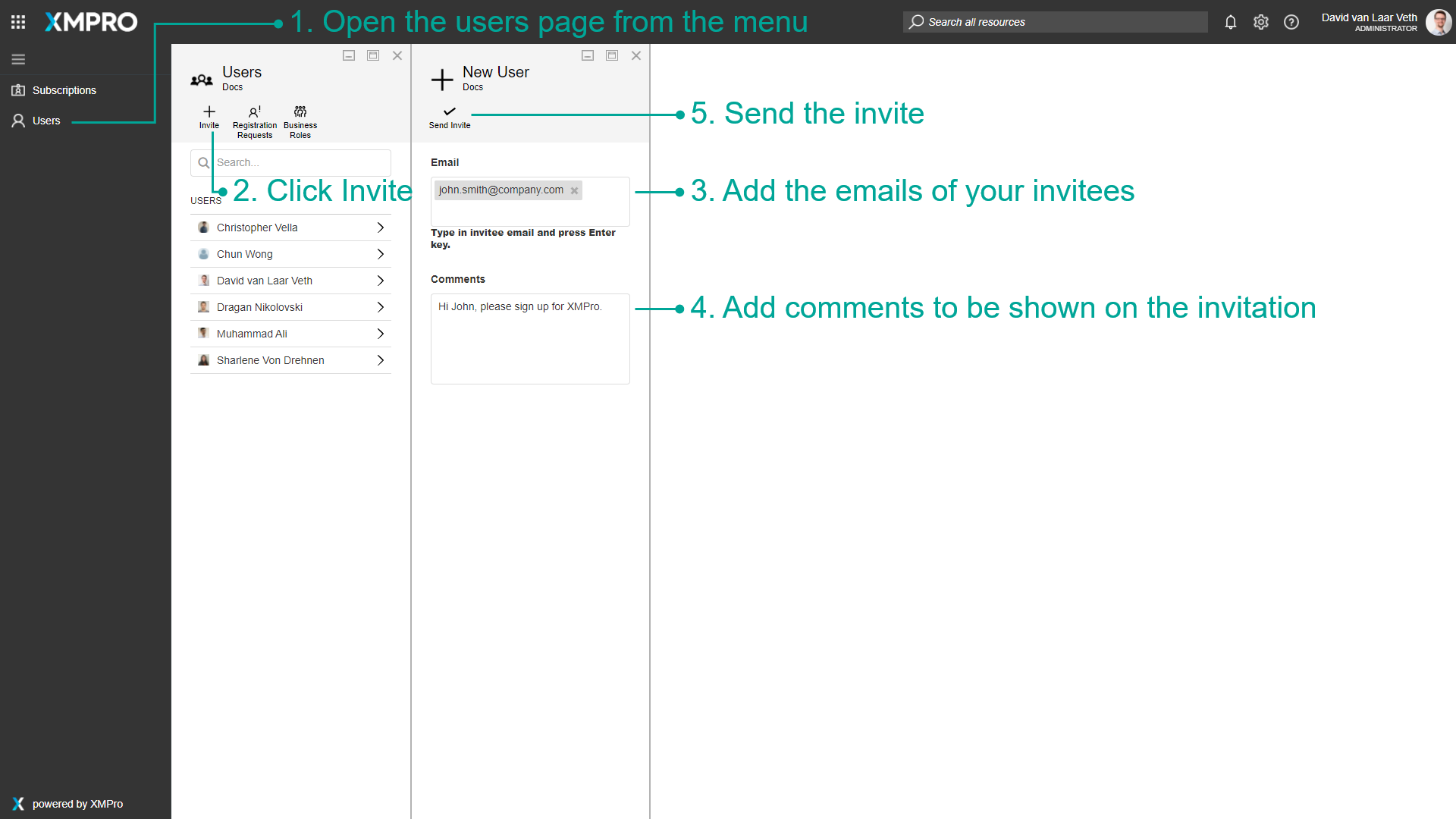
To invite users to your company on XMPro, first log in to XMPro as your company administrator.
- Click on the Users page in the left menu.
- Click on the Invite button in the command bar.
- Add the emails of your invitees in the Email field. Press enter after each email.
- Add comments to be shown on the invitation.
- Click the Send Invite button.
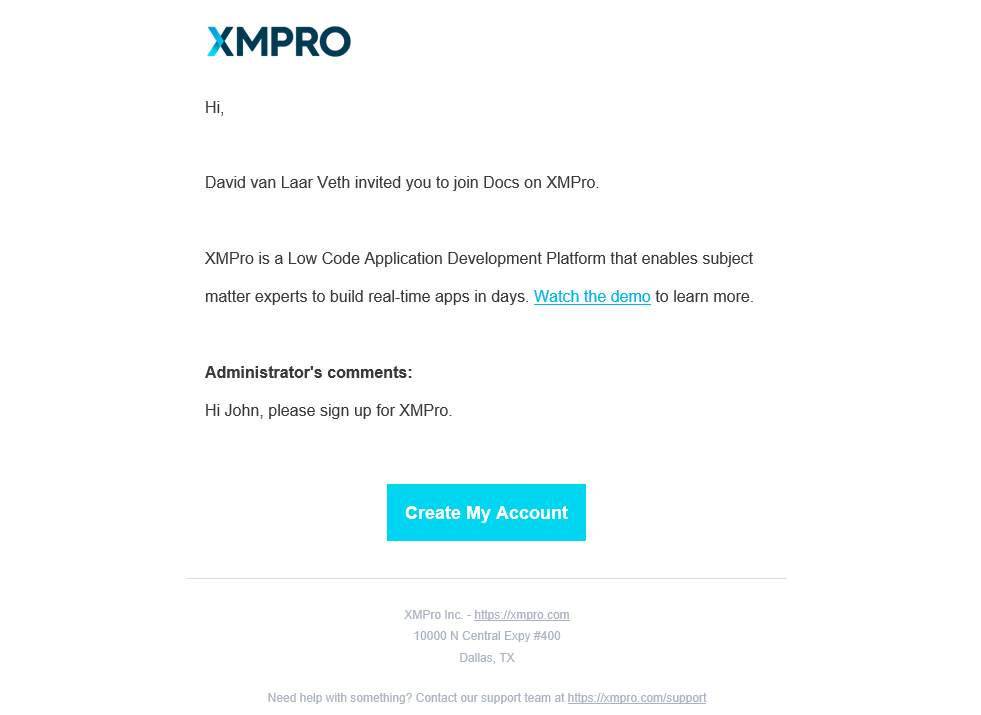
The email will have a link to the registration page to sign up for your company in XMPro.
Last modified: May 01, 2026